How It Works Features Blog Download Free
Available Now on iOS

Move First. Scroll Later.

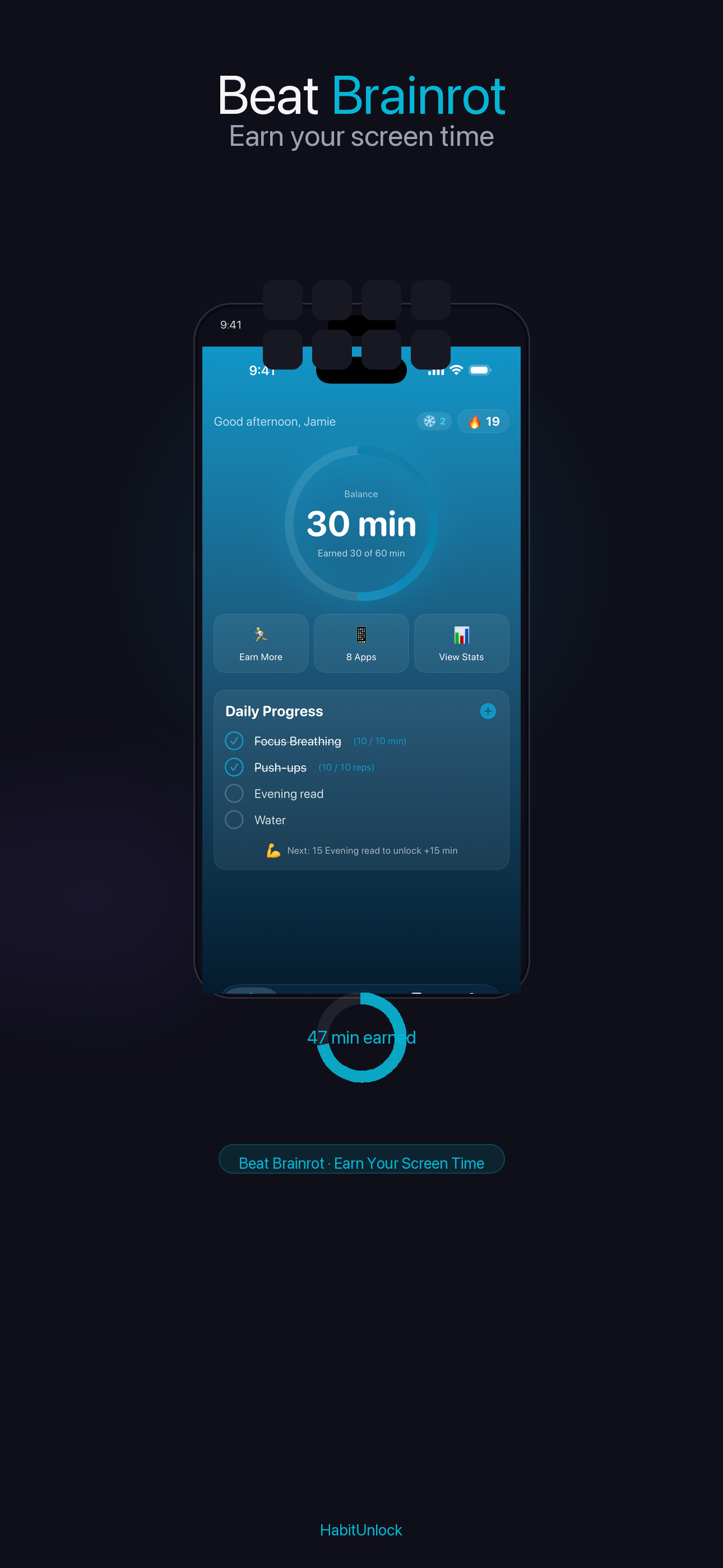
The only screen time app that makes you exercise before you scroll. Block distracting apps until you move — so the scroll is something you earn, not something that just happens.

Download on the App Store

Free to download • Premium features available

7-day free trial, then $39.99/year · Cancel anytime · Nothing due today

Blocks 11+ apps & sites · screen-time you control · health data stays on-device

See what your scroll is costing you →
9:41

Complete 10 Push-ups

to unlock Instagram for 30 min

7/10

HabitUnlock is an iOS app that locks distracting apps like Instagram and TikTok until you complete a real, HealthKit-verified exercise — push-ups, squats, or a short walk. Instead of a dismissible time limit, it trades screen time for movement, turning phone addiction into a fitness habit. Free to download on the App Store for iPhone (iOS 17+).

The Problem

Phone Addiction Is Real

And willpower alone isn't enough to fix it

4+ hours Average daily screen time
96 times Phone checks per day
47% Say they're addicted

HabitUnlock adds a simple barrier: complete a quick exercise before your apps unlock. Turn your phone addiction into a fitness habit.

Simple & Effective

How It Works

Three simple steps to transform your screen time habits

1

Choose Apps to Block

Select the apps that distract you most. Instagram, TikTok, Twitter — you decide.

2

Set Your Exercise

Pick exercises that work for you. Push-ups, squats, walking — earn your screen time.

3

Move & Unlock

Complete your exercise to unlock your apps. It's that simple. No cheating allowed.

Powerful Features

Everything You Need

Built to actually help you build better habits

Streak Tracking

Free

Build momentum with daily streaks. Watch your consistency grow and never break the chain.

M T W T F S S
6 Day Streak

Custom Goals

Free

Set personalized exercise requirements for each app based on your fitness level.

Achievements

Free

Unlock badges and milestones as you build healthier habits.

Progress Analytics

Premium

Track your screen time reduction and exercise gains over time.

Deep Lock Mode

Premium

For serious focus. Lock apps with no way to bypass until you complete your exercise.

Quick Exercises

Free

Choose from 20+ exercises. From 10 push-ups to a 5-minute walk.

Streak Freeze

Premium

Life happens. Use streak freezes for rest days without losing your progress.

Questions?

Frequently Asked Questions

What devices does HabitUnlock work on?

HabitUnlock works on iPhone running iOS 17 or later. It's an iPhone-only app today — there's no iPad or Android version. Download it free on the App Store.

Is HabitUnlock really free?

Yes — HabitUnlock is free to download and the core exercise-to-unlock blocking works for free. Premium features like Deep Lock Mode and advanced analytics are a subscription, with a 7-day free trial and no payment due today. Cancel anytime.

Can I bypass the app blocking?

In regular mode you can use an emergency override when life genuinely happens (it's tracked, not judged). In Deep Lock Mode there's no bypass at all — it holds even if you force-quit the app or change your clock.

How is HabitUnlock different from Apple's Screen Time?

Apple's Screen Time uses time limits you can dismiss with a tap. HabitUnlock requires real physical exercise — push-ups, squats, or a short walk — verified through HealthKit before your apps unlock. It turns phone addiction into a fitness habit instead of a willpower fight.

Does HabitUnlock protect my privacy and health data?

Yes. Movement is read through Apple HealthKit and processed on-device. The app uses privacy-respecting analytics and crash reporting (PostHog, Sentry) to fix bugs and improve the experience — no ads, your data is never sold, and you can turn off analytics anytime in Settings. No account is required to use the core app.

How does HabitUnlock know I actually exercised?

HabitUnlock verifies movement through Apple HealthKit — it reads activity like steps and motion to confirm you completed the exercise, rather than trusting an honor-system tap. There's no need to point a camera at yourself to count reps.

Is HabitUnlock good for breaking phone addiction or ADHD scrolling?

It's designed for exactly that. By replacing the instant hit of opening Instagram or TikTok with a small physical action, HabitUnlock adds just enough friction to break the automatic reach-for-the-phone loop. Deep Lock Mode adds a hard commitment layer for the toughest moments.

Which apps can HabitUnlock block?

You choose. HabitUnlock can gate any distracting app you select — Instagram, TikTok, YouTube, X/Twitter, Reddit, Snapchat, and more — and you can set a different exercise requirement for each one.

How is HabitUnlock different from Pushscroll, Fitlock, or StepBloc?

All four make you exercise to earn screen time, but HabitUnlock adds Deep Lock Mode (a true no-bypass commitment mode), per-app exercise requirements, and HealthKit-verified movement — without requiring camera-based rep counting.

Ready to Move First, Scroll Later?

Download free and start turning your phone addiction into a healthy habit today.

Download Free